


Priority-Level Sorting
Identify and update high-priority rules that override defaults.

CB Shipping Rules
Smart shipping rules for B2B & DTC checkout
Ship faster and smarter with Codebeans Shipping Rules – customize shipping for B2B & DTC, set company-specific rules, and show clear methods at checkout for faster decisions.

International Shopper
Show only the right shipping options for each customer type.
Reduce errors by controlling shipping method visibility and labels.
Works with international shipping profiles and customer segments.
Business-Centric Shipping
Customize shipping for B2B and DTC customers seamlessly.
Set distinct shipping preferences for every business account.
Display shipping methods clearly to improve buyer decisions.
Better Control, Better Conversions
Serve B2B and DTC segments with custom logic.
Manage unique rules for each partner or client.
Reorder, rename, and hide methods to simplify checkout.
HOW IT WORKS
From setup to checkout, get B2B and DTC shipping rules live in minutes.

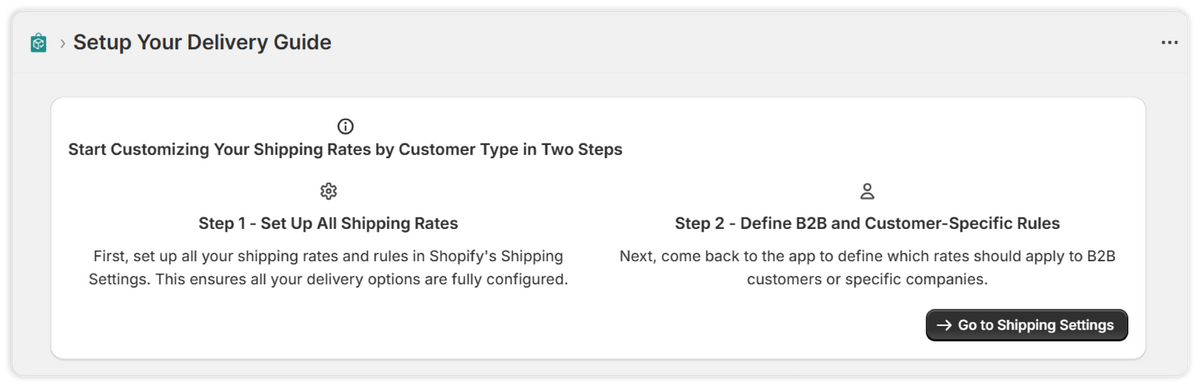
Get started quickly with the Codebeans Shipping Rules setup guide – simple steps to set your Shopify shipping rates, then personalize them for B2B and DTC shoppers using our simple rule settings.

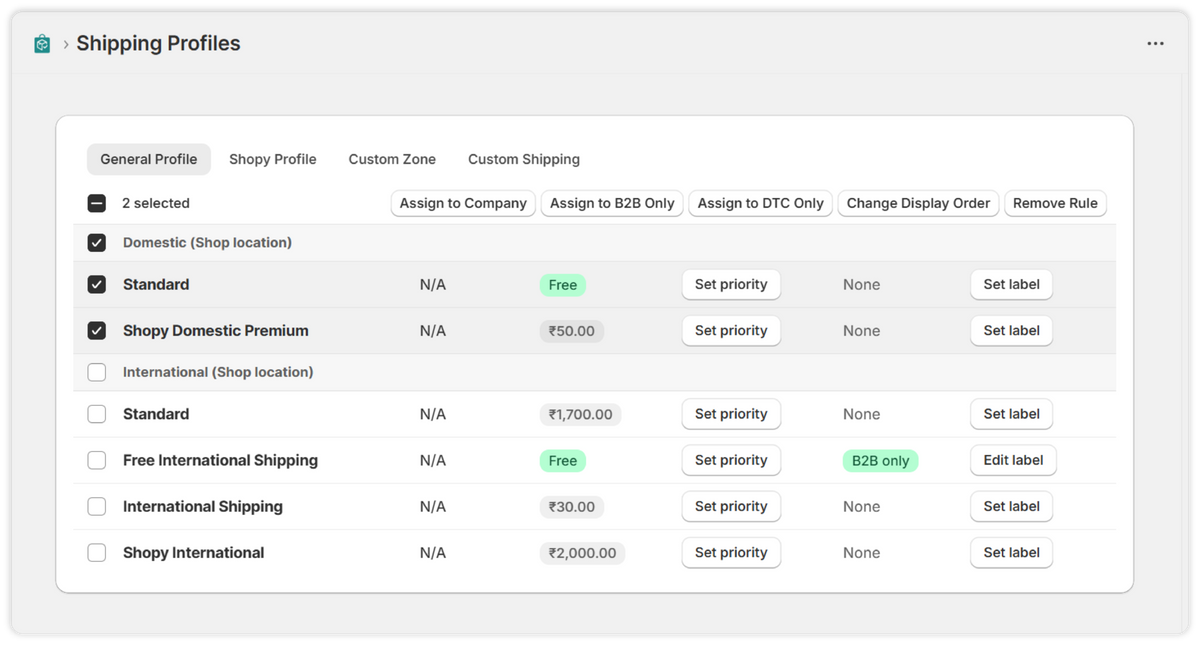
Easily manage and customize shipping rules for different customer types, products, or locations—right from one simple dashboard.

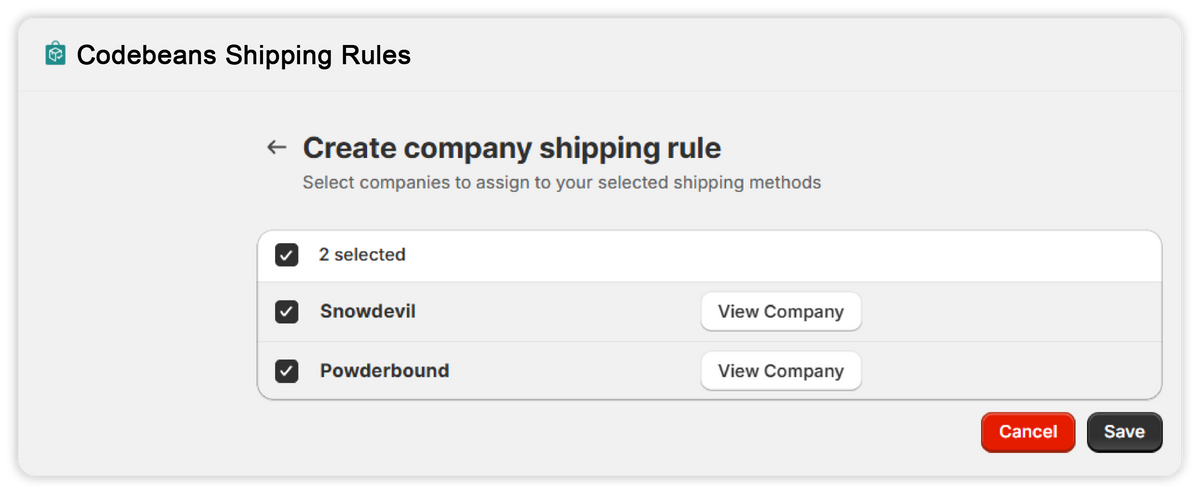
Customize shipping rules for each B2B company to match their unique needs and agreements.

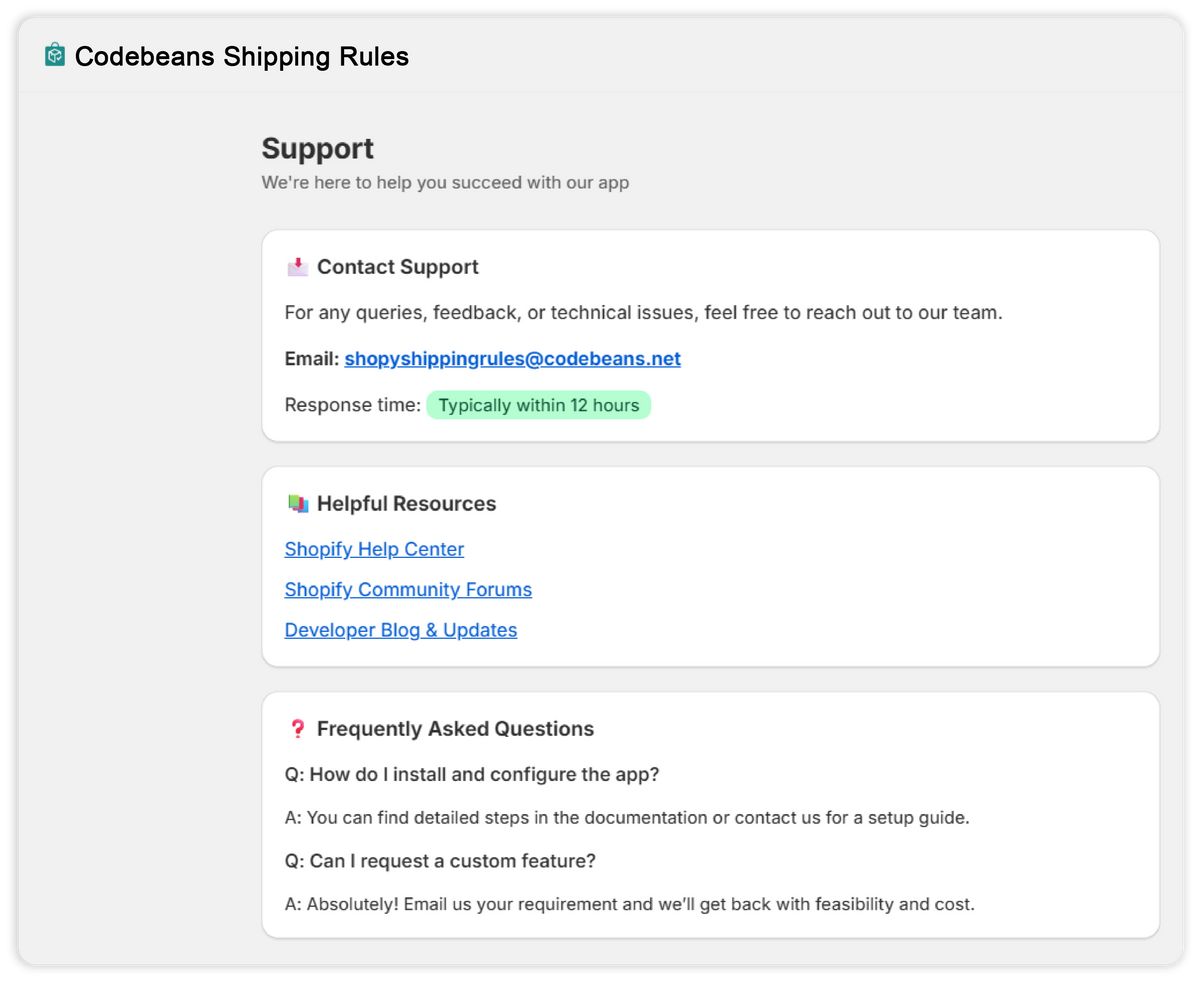
Get help anytime with easy access to FAQs, guides, and expert support.

Identify and update high-priority rules that override defaults.

Offer different shipping options for B2B vs. DTC customers.

Show or hide specific shipping methods at checkout based on product or cart criteria.

Seamlessly works within B2B and DTC checkout flows for smoother operations.

Use customer-friendly labels for each rule to avoid confusion at checkout.

Lookup and manage rules separately for B2B clients or DTC customers.
Everything below is in scope from day one — no surprise line items.
This app made it so easy to create custom shipping rules for our B2B and D2C customers. It's incredibly intuitive and works seamlessly with Shopify Plus.
Being able to show specific shipping methods to certain companies or customer types has streamlined our checkout. No more messy shipping options!
We saw faster checkouts and fewer customer complaints within days. The label editor and sort order features are a big win!
Codebeans Shipping Rules helped us personalize shipping for our B2B clients without touching a line of code. The app is flexible, smart, and well-supported. We've saved time, improved accuracy, and our customers love the clean checkout experience. Highly recommended for any Shopify Plus store!
We needed a way to show different shipping options for wholesale customers, and this app delivered perfectly. Easy setup and great support.
Love how we can hide unnecessary shipping methods and rename others to make things clearer for our customers. It's simple but powerful.
Ran into a small issue during setup, but their support team was quick and professional. The app does exactly what it says.
We ship to multiple regions and needed more control over what customers see. This app made it easy to set different rules by country and customer tag.
Before this app, we were using complex workarounds to manage shipping by customer type. Codebeans Shipping Rules made it easy and scalable. It's a must-have for any serious Shopify Plus store.
We saved hours of manual work every week by automating shipping rules. Our checkout is now cleaner, and our B2B clients no longer see irrelevant options. Worth every cent.

Codebeans Shipping Rules are customizable settings that help automate and manage shipping logic for B2B and DTC checkouts and delivery options.
Yes, our Quick Edit feature lets you rename rule titles without changing the rule logic or settings.
Very easy. You can manage all rules through a simple, intuitive dashboard—the interface is no-code and fully visual, so anyone can build and manage rules without technical expertise.
Simply select the company profile and define custom shipping methods, pricing, and delivery preferences. It's easy to manage and fully customizable.
Absolutely. Our platform allows you to hide, sort, and rename shipping methods to create a cleaner checkout experience.
Yes. You can define rules by country, region, or specific postal codes, making it easy to handle international shipping variations.
Yes, Codebeans Shipping Rules are ideal for multi-location businesses. They allow you to set location-specific shipping options, rates, and restrictions, ensuring each branch operates with tailored logistics for efficient order fulfillment.
Yes. Once saved, changes take effect immediately, so your customers always see the latest options during checkout.
You can sort and reorder methods in your shipping rule settings to show the most relevant options first during checkout.
